The band Noise Cinema needs to have their gigs organized, and what better way than to
use some good ol' PHP and MSQL?
Instruction #0
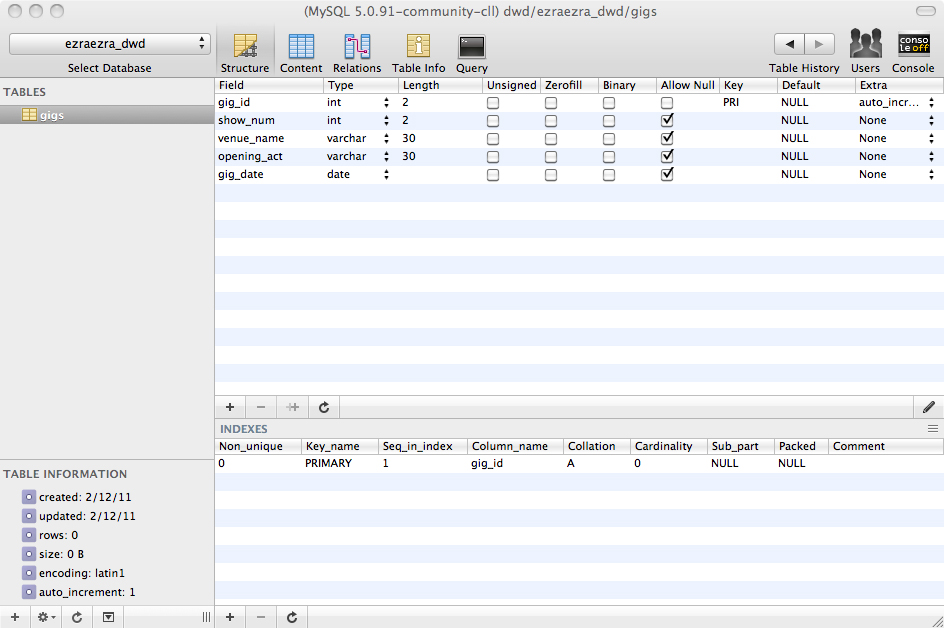
Instruction: Create a table of your choosing which contains the following columns: an ID column, at least one numeric column (i.e. integer, double, or decimal),
at least one string column (i.e. varchar, text, or blob), and at least one date or time column (i.e. date, time, datetime, etc). Show a visual
representation of the columns of your table in your PHP-generated web page. You can use the "Print View" link on the PhpMyAdmin "Structure"
page and take a snapshot of your table in PhotoShop and present it as an image, or you can cut and paste the HTML from the "Print View" link into
your PHP script, or use whatever means necessary to show the structure of your table inside of your PHP-generated web page.
Response: CREATE TABLE gigs(gig_id INT(2) NOT NULL auto_increment, show_num INT(2), venue_name VARCHAR(30), opening_act VARCHAR(30), gig_date DATE, PRIMARY KEY
(gig_id)) type=MyISAM;
Instruction #1
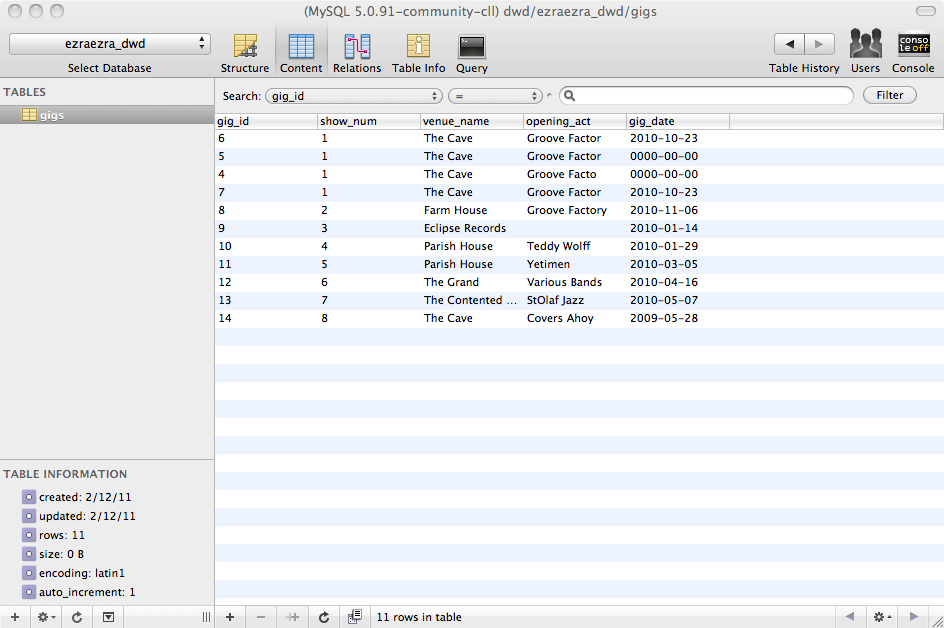
Instructions: Using the INSERT statement in the PhpMyAdmin SQL window, create at least 5 records.
Inside of your PHP-generated web page, list the INSERT statements that were used to create your data set. Then show all records in your
table. You can use the "Print View" link on the PhpMyAdmin "Browse" page and take a snapshot of your table in PhotoShop and present it as an image,
or you can cut and paste the HTML from the "Print View" link into your PHP script, or use whatever means necessary to show the contents of your table
inside of your PHP-generated web page.
Responses: INSERT INTO gigs VALUES(0,1, 'The Cave', 'Groove Facto', '2010-10-23');
DELETE FROM gigs WHERE venue_name = 'The Cave';
INSERT INTO gigs VALUES(0,1, 'The Cave', 'Groove Factor', '2010-10-23');
INSERT INTO gigs VALUES(0,2, 'Farm House', 'Groove Factory', '2010-11-06'), (0,3, 'Eclipse Records', '', '2010-01-14'),
(0,4,'Parish House', 'Teddy Wolff', '2010-01-29'), (0,5, 'Parish House', 'Yetimen', '2010-03-05'), (0,6,'The Grand', 'Various Bands', '2010-04-16'),
(0,7, 'The Contented Cow', 'StOlaf Jazz', '2010-05-07'), (0,8,'The Cave', 'Covers Ahoy', '2009-05-28');
Instruction #2
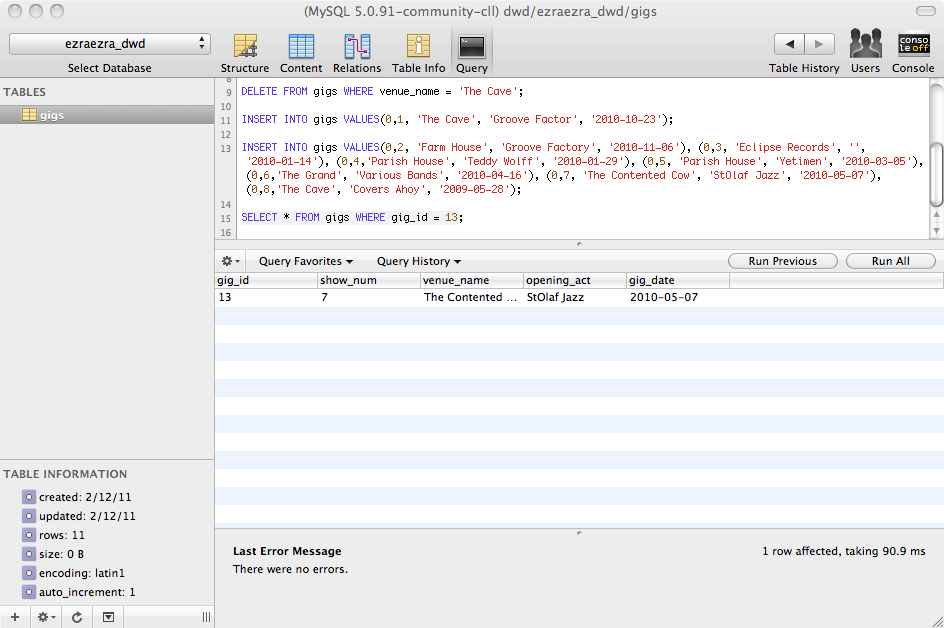
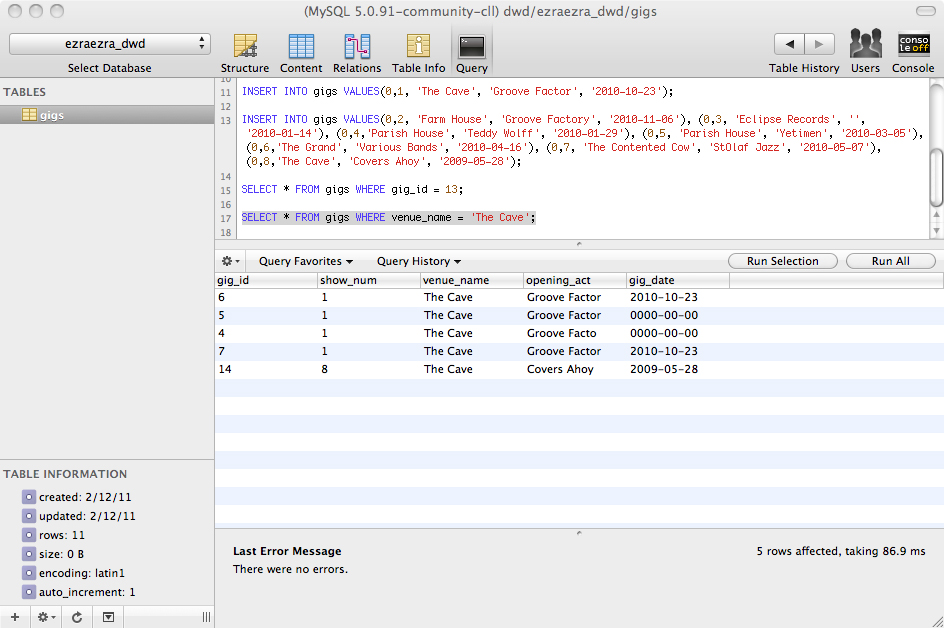
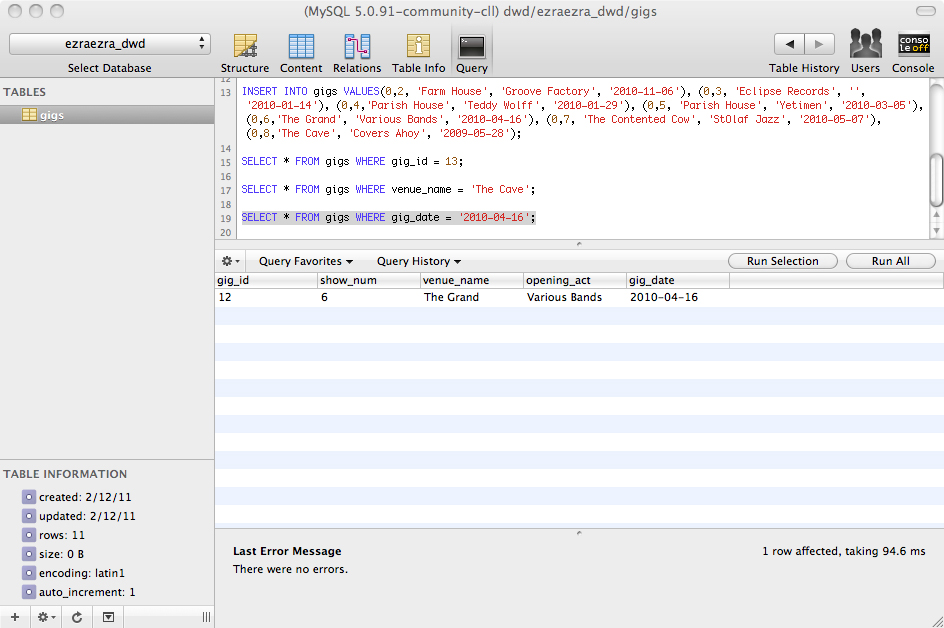
Instruction: Using the SELECT statement in the PhpMyAdmin SQL window, make at three targeted queries. One should be based upon a numeric column (i.e. where id=5),
one should be based upon a text query (i.e. where name='Jones') and one should be based upon a datetime column (i.e. where date>'4/1/2001'). Show each
query and its respective results inside of your PHP-generated web page.
Responses: SELECT * FROM gigs WHERE gig_id = 13;
SELECT * FROM gigs WHERE venue_name = 'The Cave';
SELECT * FROM gigs WHERE gig_date = '2010-04-16';
Instruction #3
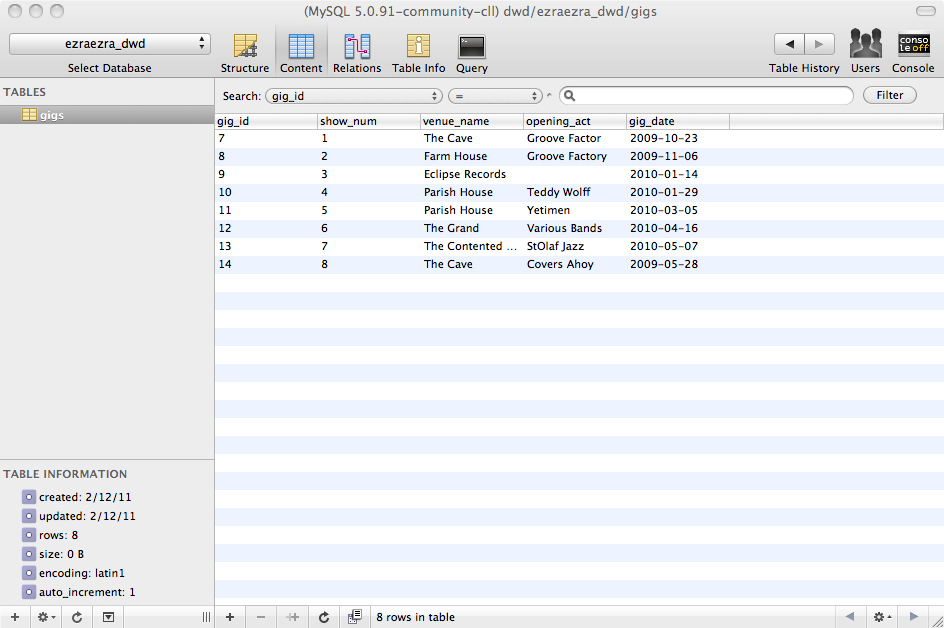
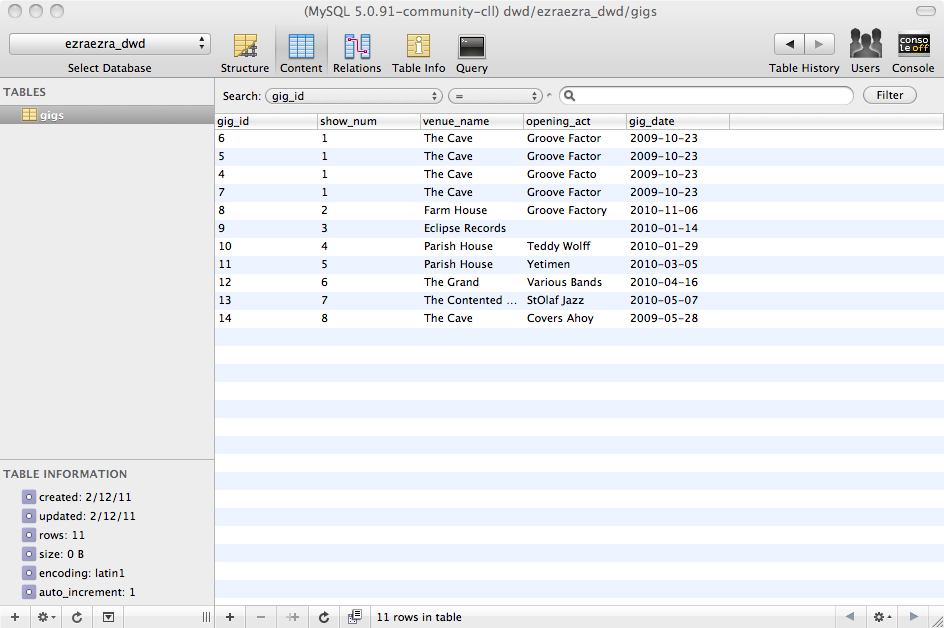
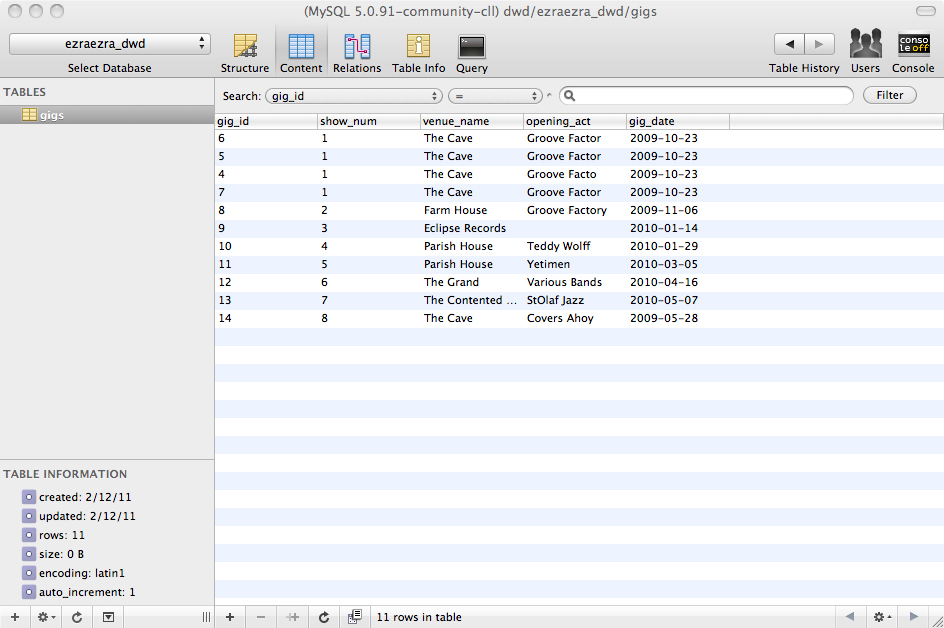
Instruction: Using the UPDATE statement in the PhpMyAdmin SQL window, change at least one of the records in your table. Show the statement and the new contents of
your table inside of your PHP-generated web page.
Response: UPDATE gigs SET gig_date = '2009-10-23' WHERE show_num = 1;UPDATE gigs SET gig_date = '2009-11-06' WHERE venue_name = 'Farm House';
Instruction #4
Instruction: Using the DELETE statement in the PhpMyAdmin SQL window, remove at least one but not all of the records in your table. Show the statement and the new
contents of your table inside of your PHP-generated web page.
Response: DELETE FROM gigs WHERE gig_id >= 4 AND gig_id <=6;